 |

 IBM-AUSTRIA - PC-HW-Support 30 Aug 1999
 |
1180 Processor Card
1180 Processor Card
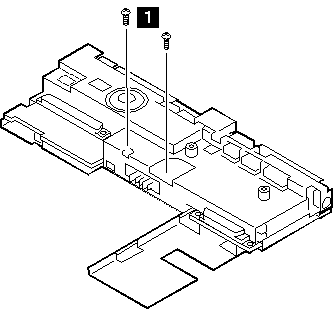
Turn the system board upside down.
Then remove any metal tape holding the card.
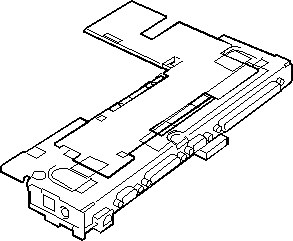
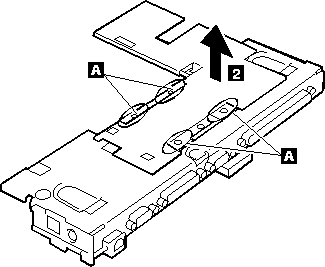
To remove the processor card, gently lift
the area shown by A straight up.
Do not pull the other areas.
NOTE:
If the processor card is not installed correctly,
the computer may not turn on. Reinstall the card in this case.
Use the following table for reference when replacing parts.
| Step |
Location (Quantity) |
Length |
| 1 |
Processor card assembly |
14 mm |
NOTE: Make sure you use the correct screw. Screw Size Chart
Back to 
More INFORMATION / HELP is available at the IBM-HelpCenter
Please see the LEGAL - Trademark notice.
Feel free - send a  for any BUG on this page found - Thank you.