 |

 IBM-AUSTRIA - PC-HW-Support 30 Aug 1999
 |
Starting the Configuration/Setup Utility Program (Server 330, Netfinity 3500)
Starting the Configuration/Setup Utility Program
To start the Configuration/Setup utility program:
- Power-on the server and watch the screen.
- When the message
Press F1 for Configuration/Setup
appears, press F1.
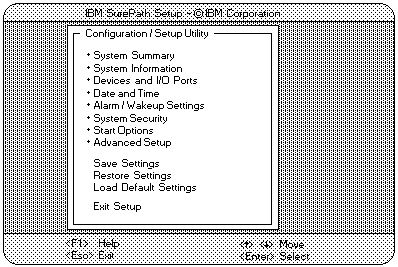
The Configuration/Setup utility Main Menu appears.
For more information about the menus, see 'Using the Configuration/Setup Utility Main Menu'.
NOTE:
Some menus might differ slightly, depending on the BIOS
version shipped with the server.
More INFORMATION / HELP is available at the IBM-HelpCenter
Please see the LEGAL - Trademark notice.
Feel free - send a  for any BUG on this page found - Thank you.